Showing posts with label TechnicalSupport. Show all posts
Showing posts with label TechnicalSupport. Show all posts
Thursday, August 4, 2011
Hotmail: Change account password

If you are afraid that someone else knows your password or you just want to follow the smart practice of changing your password periodically to maintain the security of your account, here’s how to do it in Windows Live Hotmail.

Wednesday, August 3, 2011
Google tips

How do I import my iGoogle settings into other accounts?
The iGoogle service lets you create a personalized homepage. It also allows you gather and access Google services and many other internet services via gadget. If you are using multiple Google accounts, you may wish to set up all of your iGoogle page the same. Here is how to do it without manually adding the gadgets to each page.
Steps to Follow
1. Log in to your iGoogle page.
2. Click on the small gear icon -> iGoogle Settings.
3. Scroll down the bottom of the Settings page, click the Export button under Export / Import section.
4. Download the xml file to your hard drive.
5. Now, switch to your other accounts, and go to the Settings page again.
6. Scroll down the bottom, hit the Browse. button, point to the downloaded xml file.
7. Hit the Upload button.
Google Chrome tips

Chrome: Hide images when visiting particular sites
If you are using a low speed internet connection, loading a website which has many images may take a lot of time. This tutorial will show you how to hide those images when you visit the website on Google Chrome. This will not only help the browser speed up the loading time, but also prevent embarrassing moments from happening when the site contains NSFW images.
Monday, August 1, 2011
Google+ tips

Google+: How to Control Who Can Start a Huddle with You
Huddle allows mobile Google+ users to text with groups from their Google+ circles. By default, anyone on Google+ can start a Huddle with you, here’s how to trim that down.
1. Go to Google+ on your computer and login to your account.
2. Go to the upper-right corner of the page and click the Options icon.
Saturday, June 11, 2011
Find Add-ons for Mozilla Firefox

Finding and learning about add-ons, or accessory programs, for Mozilla's Firefox web browser is quite straightforward. With a few simple searches, you can add any number of small programs that make browsing the internet, organizing downloads, and adding various customizations incredibly simple, and all with no noticeable slow-down. And as long as you use Firefox's built-in "add-on update" feature, you can use these accessories indefinitely.
This article will help you to find add ons for mozilla firefox.
Fix a Slow Internet Connection

A slow Internet connection can be extremely frustrating when you are working online. You can contact a computer technician, but they will most likely charge you a large amount of money to just look at your computer. To avoid repair costs, there are some simple tricks you can try on your own to fix a slow Internet connection.
This article will help you to Fix a Slow Internet Connection.
Password Protect Internet Explorer

This article will help you to password protect Internet Explorer.
Friday, June 10, 2011
Delete Memory Cache on Safari
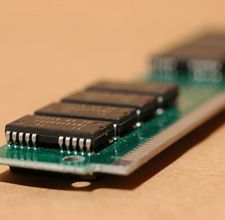
Whenever you visit a Web site, Safari automatically saves the contents of the Web page into its memory cache. This is done so that the page loads quickly the next time you want to view it. Over time, Safari can accumulate thousands of cache files for various Web pages that you've visited. This can often slow down the speed at which Safari can run. In order to improve the speed and performance of the Safari Web browser, many Macintosh users will choose to delete Safari's memory cache. This should be done on a regular basis in order to ensure that Safari is working at optimal speed. Besides clearing the memory cache, Safari users can also improve their performance by deleting the Google search entries that have been saved.
This article will help you to Delete Memory Cache on Safari.
Update Safari

Every so often, Apple will provide an update of the Safari Web browser software. These improvements can affect anything from Safari's Web site compatibility, application stability or provide additional features to help users browse the Internet. You may also be able to find add-ons, plug-ins and other security updates by regularly checking for them. In order to keep up with the latest advances in Safari, Macintosh users should check for updates on a regular basis and download them whenever they are available.
This article will help you to Update Safari.
Manage Passwords With Safari

When logging onto a Web site that requires a user name and password, Safari will ask if you want it to save that information for future use. If you choose to save the password, Safari will save that information and automatically access it every time you want to log onto that site. Having Safari remember your passwords can be a great time saving tool and save you the hassle of having to remember your login information. This is especially true if you have different passwords for different sites. Safari also gives you the ability to manage those passwords as you see fit.
This article will help you to manage passwords with Safari.
Thursday, June 9, 2011
Determine a Wireless MAC Address

A Media Access Control (MAC) address, also called a physical address, is a number assigned to each networking device on a network. MAC addresses are unique to each device, providing a way to identify different devices and the computers using the devices. If you are setting your computer up on a new network, your network administrator may require your MAC address to register your computer. You can identify wireless MAC addresses using the command prompt tool.
This article will help you to determine a Wirelss MAC address.

Wednesday, June 8, 2011
Set Up a LAN Network

A local area network, or LAN for short, is a group of interconnected computers that can share data among one another. Almost always, LANs are set up using Ethernet cables connecting Ethernet cards installed on each computer to a hub, switch or router. This joining device must have enough ports on it so that all computers to be connected to the LAN can plug into it. A LAN may, but need not by definition, provide access to the Internet.
This article will help you set up a LAN Network.
Connect a Mac to a PC on a Local Network

Macs running OS X are more compatible with PCs than ever. There is no need to use PC-Mac LAN, and you can even print to Windows printers through your PC. This focuses on getting a Mac to connect to your PC not the other way around.
This article will help you to connect a Mac to a PC on a Local Network.
Friday, June 3, 2011
Replace a Computer Modem

Modems are used in computers to connect to telephone or cable lines. A modem sends out data from your computer through these lines. The information is altered by the modem from a digital form to an analog one. This makes it possible to send and receive all types of data from the Internet or other computers or servers. A modem can become damaged during power surges. Replacing a computer modem takes a few minutes and one tool.
This article will help you to replace a computer Modem.
Bridge a Motorola DSL Modem

Digital subscriber line (DSL) modems, such as the Motorola DSL modem, allow a computer to access the Internet through a DSL connection. However, most DSL modems do not provide a way to connect additional computers to the Internet through the DSL network. To do this, you will need a router to set up a network for your computers or other devices. Before you do that, you need to bridge your Motorola DSL modem.
This article will help you to Bridge a Motorola DSL Modem.
Setup a DSL Modem

This article will help you to setup a DSL Modem.
Thursday, June 2, 2011
Remove Followers on Twitter

Twitter is a web-based social networking application that allows you to post short updates in real-time for other people to keep track of. Unless you protect your Twitter posts, anybody who has a Twitter account can choose to 'Follow' you and be part of your social network. If you don't want someone to follow you on Twitter, you can make use of the 'Block' feature that prevents your updates from showing up in another person's profile page. Here's how to remove followers from your Twitter account.
This article will help you remove followers on Twitter.
Link Twitter to Facebook Status Updates

Save the hassle of logging into 2 websites just to update your current status. Now you can link your Twitter and Facebook accounts together and save heaps of time. Twitter is a micro-blogging service, that allows its users to send and read other users' updates in real time. While Facebook, the fastest growing social networking community on the Internet today, connects people with friends and others who work, study and live around them.
This article will help you to link Twitter to Facebook status updates.

Subscribe to:
Posts (Atom)


